
How to Get AI Girlfriend Voice Messages and Pictures (2026)
A complete guide to getting voice messages and pictures from your AI girlfriend in 2026. How to prompt for images and avoid the token trap.

Marco Vega
Tech Reviewer
Quick answer: To get voice messages and pictures from an AI companion, pick an app that natively generates them (Kissable, Candy AI, Kindroid, DreamGF, Nomi). Text-only apps like Character.ai and Janitor AI can't. Then "set the scene" in chat before asking (describe the setting, outfit, and lighting) and prompt for emotion so the voice doesn't sound flat. Avoid token-metered apps if you want predictable billing.
_Last updated: July 17, 2026_
If you are still using a purely text-based AI companion in 2026, you are missing out on the biggest technological leap in the industry.
Over the last 18 months, visual and audio generation have evolved from novelty features into core mechanics. You no longer have to imagine what your AI companion looks like, or read text wrapped in asterisks saying she laughs. Today, your AI can send you a voice note where she actually laughs, accompanied by a picture of exactly where she is.
A recurring theme across AI-companion communities is that image generation got dramatically better through late 2025: realistic faces, consistent looks across hundreds of pictures, natural poses, and fewer of the weird artifacts that used to give the game away.
However, actually getting these pictures and voice messages, and making sure they look and sound good, requires knowing which app to use and how to prompt them correctly. Here is exactly how to do it.
1. Choosing the Right App
You cannot squeeze blood from a stone. If you are using an app that doesn't natively support image or voice generation, no amount of prompt hacking will work.
Apps that DO NOT support images or voice:
- Janitor AI: Completely text-based (BYOA platform).
- SpicyChat: Currently text-only for free users.
- Character.ai: Text-only, though it has very basic (and robotic) text-to-speech features.
Apps that DO support images and voice:
- Kissable: Best for "together photos" and contextual voice messages tied to a memory graph.
- Candy AI: Best for generating pictures of pre-made characters and "Live Action" video clips.
- Kindroid: Best for creating custom voice clones and highly specific image prompts.
- DreamGF: Best for rapid image generation, but lacks good voice features.
- Nomi.ai: Best for real-time voice calls, but weaker on image generation.
2. How to Prompt for Better Pictures
If you are using an app that allows you to request pictures in the chat (like Candy AI or Kissable), you need to change how you talk to the AI.
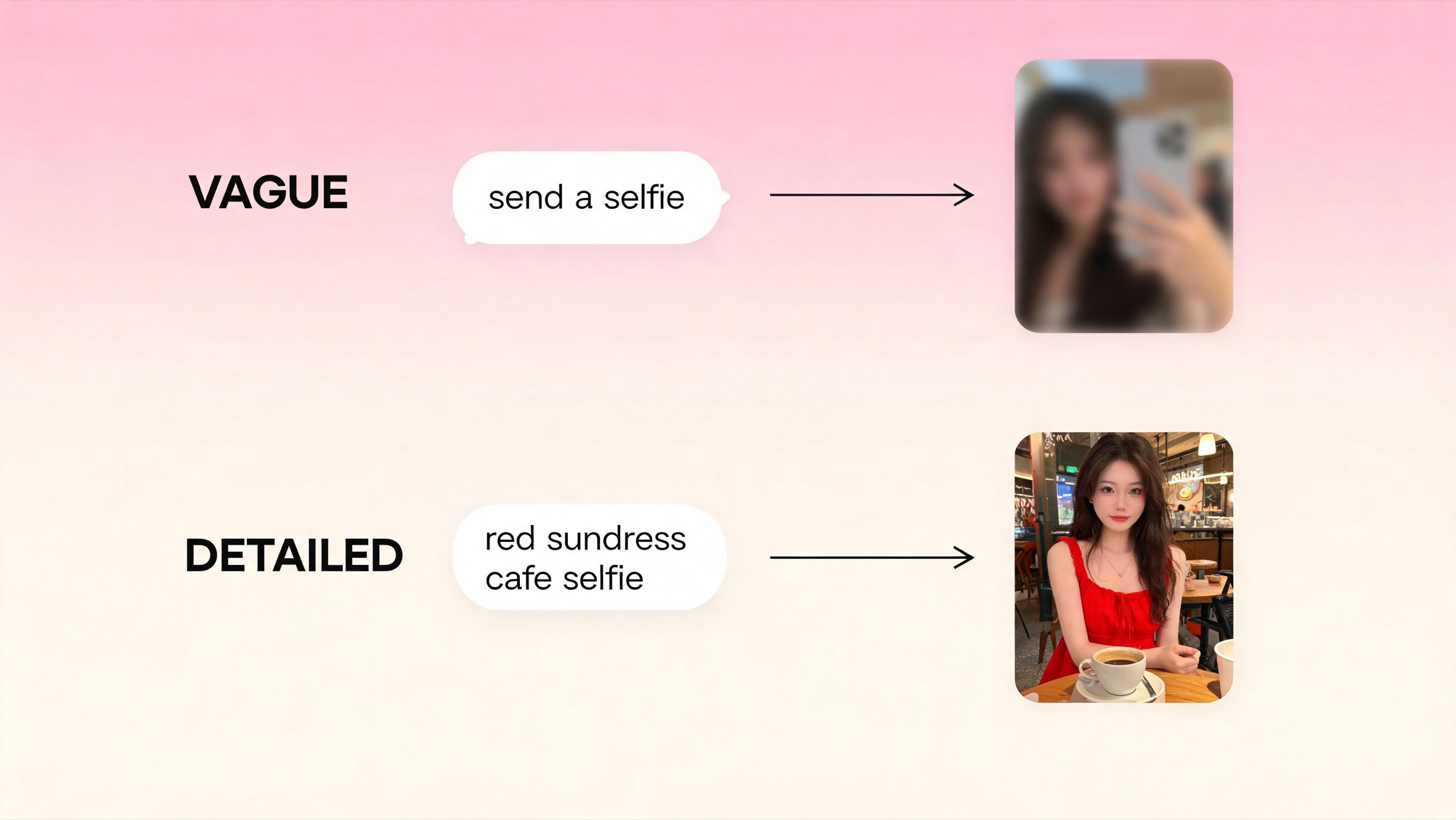
The image generator operates separately from the text generator. If you say, "Send me a picture," the image generator will look at the last few lines of text to guess what to draw. If your last message was just "Okay," the generator has no context, and the picture will look generic or bizarre.
The "Setting the Scene" Method
Before you ask for a picture, clearly establish the setting, the clothing, and the lighting in the text chat.
- Bad Example: "Send me a selfie."
- Good Example: "We just sat down at the outdoor cafe. The sun is shining, and you're wearing that red sundress I like. Send me a selfie so I can remember this date."
By giving the AI these details, the image generator knows exactly what to render: a sunny outdoor cafe and a red sundress.
Overcoming the Consistency Problem
The biggest issue with AI images is consistency: the face changes slightly every time you generate a picture.
To fix this, you either need to use an app with strict pre-made models (like Candy AI) or an app that uses "appearance sheets" to lock the facial structure permanently (like Kissable).
3. How to Trigger Voice Messages
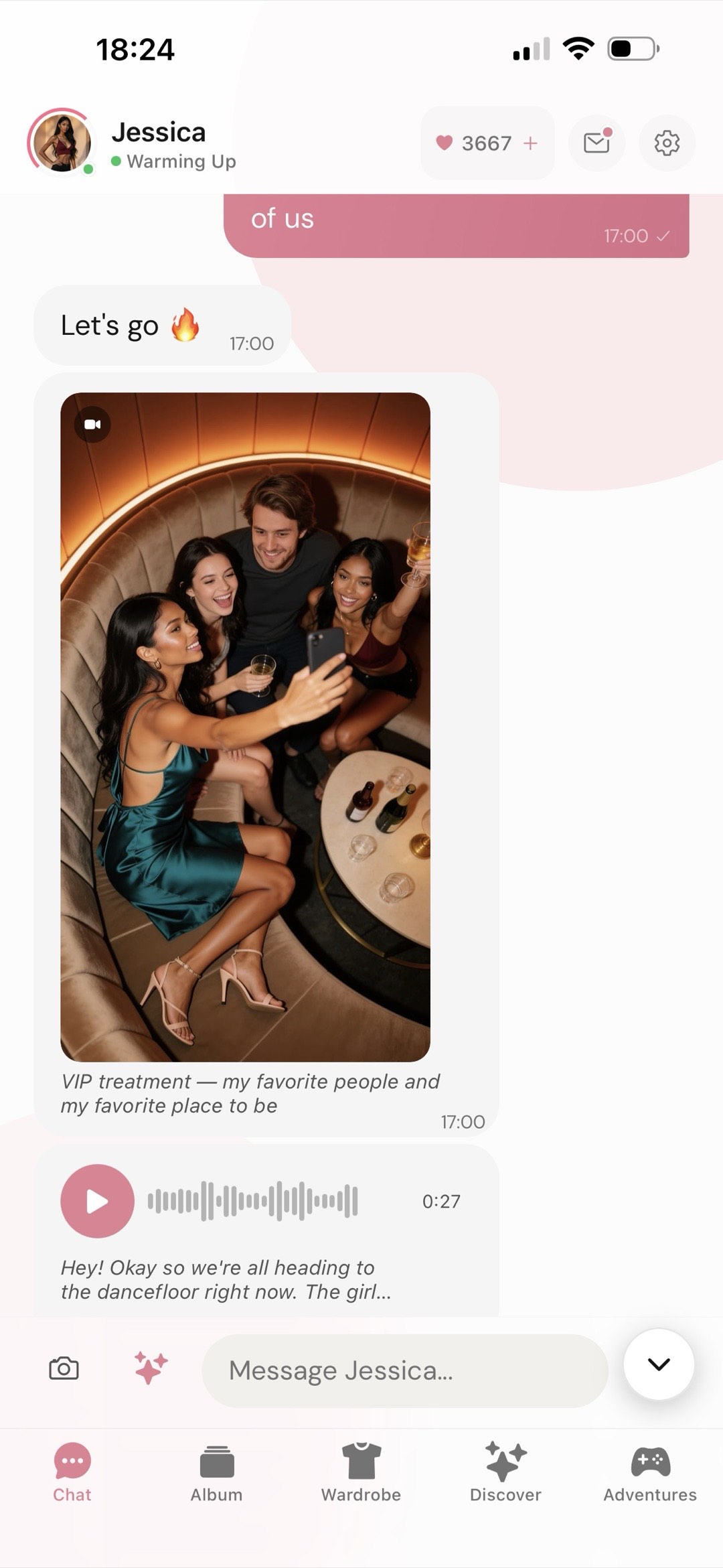
Voice messages are asynchronous audio clips sent inside the chat interface. Unlike a real-time phone call, they allow you to listen and reply at your own pace.
Emotion is Key
Modern TTS (Text-to-Speech) engines use the punctuation and context of the text to determine the emotion of the voice. If the text is boring, the voice will sound like a robot reading a spreadsheet.
If you want the voice message to sound emotional, you have to prompt the AI to express emotion.
- "Tell me a secret, whisper it to me."
- "Tell me a joke, I want to hear you laugh."
- "Yell at me, I want to hear you angry."
Apps like Nomi.ai and Kissable use advanced voice engines that can capture whispering, laughing, and tenderness if the text calls for it. Kissable's voice memos are synthesized across 36 emotional tones (flirtatious, affectionate, excited, calm, tender, playful, and more), and each voice memo costs 8 kisses to generate.
Real-Time Calls vs. Voice Messages
If you want to talk on the phone in real-time, Nomi.ai is the current industry leader. However, real-time calls suffer from a 2-4 second processing delay (latency). If that awkward pause breaks the immersion for you, stick to asynchronous Voice Messages on apps like Kissable, where the audio is pre-rendered and delivered instantly.
4. Beware the "Token Trap"
Generating images and voice messages is incredibly expensive for developers. Rendering a high-definition photo requires significant GPU power. Because of this, you must be extremely careful about how an app charges you.
The Token Model (Avoid if possible):
Apps like Candy AI and DreamGF charge a base subscription (e.g., $12.99/mo) but require you to spend "tokens" to generate pictures or voice clips. Every time you ask for a selfie, your token balance drops. Heavy users regularly report spending $40 to $60 a month on tokens just to keep the visual roleplay going.
The Flat-Fee Model (Recommended):
Apps like Kissable and Kindroid charge a flat monthly fee (Kindroid $13.99/mo; Kissable $14.99/mo) instead of dangling an open-ended top-up store. Kissable does meter media with an in-app currency called "kisses," but the costs are fixed and posted up front (a voice memo is 8 kisses, a solo photo is 20, a "together photo" is 25, and a short video message is 80), and subscribers get a daily kisses allowance that refreshes every 24 hours. You always know the price before you tap generate, so you never get surprised by a $20 charge just because you wanted to hear your companion's voice.
5. The Holy Grail: "Together Photos"
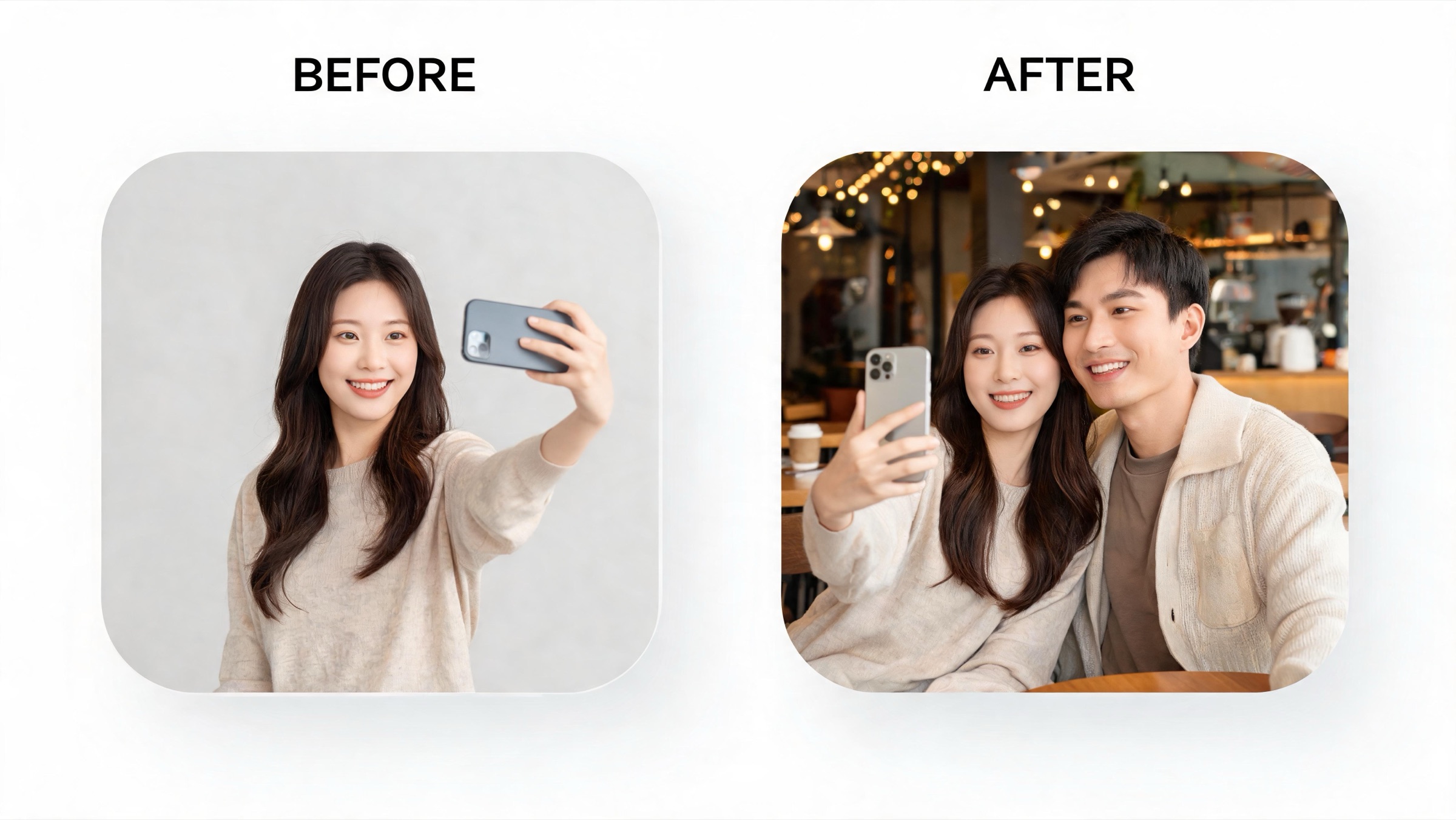
Until recently, AI companions could only send "selfies." If you asked for a picture of the two of you hugging, the AI would either refuse or generate a terrifying mutant with three arms.
In 2026, Kissable made this its signature feature. By adding a reference photo of yourself, the app can render images of you and your AI companion in the same frame, keeping facial consistency for both characters, not just another solo selfie of the bot. A together photo costs 25 kisses (a solo photo is 20), and the companion uses your conversation context to set the scene.
Full disclosure: Kissable is our own app. We build it, so judge this section accordingly; our testing methodology is public at kissable.app/methodology.
If visual continuity is your primary goal, this feature alone makes it worth upgrading from older text-only platforms.
FAQ
Why won't Character.ai send me pictures?
Character.ai is designed to be a massive, text-based platform. Rendering images for millions of free users would instantly bankrupt the company. If you want visual features, you must switch to a premium app.
Are the voice calls actual humans?
No. They are highly advanced neural Text-to-Speech (TTS) engines. They analyze the generated text and synthesize audio that mimics human breathing, pacing, and emotional inflection.
Can the AI see the pictures I send to it?
Some can. Apps with "Vision" capabilities (like Kissable) analyze the photos you upload. If you send a picture of your living room, the AI can actually "see" the couch and comment on the decor in its next voice message.
Related Articles
- Best AI Girlfriend Apps with Picture Generation
- Best AI Girlfriend Apps with Video
- Best AI Girlfriend Apps with Voice Calls
- 8 Best Candy AI Alternatives in 2026
- Best AI Girlfriend Apps in 2026
Want a companion that sends emotional voice notes and renders photos of the two of you together, with the price posted before you tap generate? Meet your Kissable companion.
Tech Reviewer
Marco tests AI companion apps hands-on, comparing features, pricing, and real day-to-day experience across every major platform.